





Alerts for SNMP, OS sensors, and Custom Integrations
We always love improving things at Domotz, and one of our most recent features to experience this is our Network Monitoring Alerts.
Here’s a summary of everything new with our Alerts on Domotz. In the last few months, we’ve worked hard to improve our alert types and the engine behind the technology. We’ve been working to make our network monitoring alerts incorporate more variables and easy configuration. We want you to have a seamless and intuitive network monitoring alert experience. Learn all about our network monitoring alerts and how they have been improving.
- Types of Alerts
- Improving Alerts on Variables
- Adding Alerts for SNMP, OS, and Custom Integration sensors
- A better alerting mechanism

Types of Network Monitoring Alerts
Our Network Monitoring Software includes alerts for the critical network and device events you care about. Here are the alerts we provide.
Device Alert Events:
- Device Status changes (Online/Offline/Heartbeat)
- Device IP changes
- Switch/Firewall/Wi-Fi access point Configuration changes/misalignment
- Any type of device sensor:
- SNMP-based
- SSH-based
- WINRM/WMI-based
- Custom sensors (with the Custom Drivers or Custom Pre-configured SNMP sensors)
Network Alert Events:
- New Discovered Devices
- Internet Connection Lost/Recovered, and Speed
- Ports Open on Public Internet WAN side
- Internet Public WAN IP Changes
- Custom Sensors (with Custom integration Drivers or Custom Pre-configured SNMP sensors)
Learn more about our network device monitoring.
Improving Network Monitoring Alerting on Variables
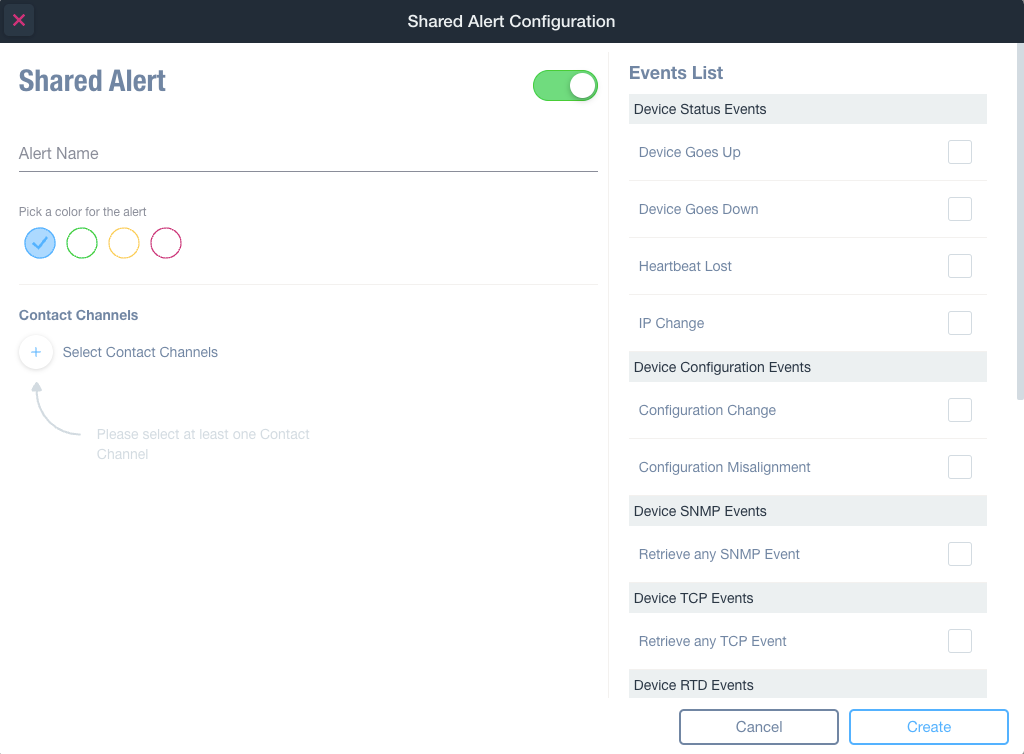
One of the latest releases allows you to see, while you are choosing a specific alert, how many items are using a specific Alert Profile.
In addition, you can now create a Contact Channel directly when configuring a new trigger on variables.
Additionally, you can delete an existing Alert profile directly from the Alert Profile editor of the specific variable.
This way, creating, configuring, and deleting alerts will be much easier, faster, and more intuitive.
Release date: March 2023
Adding Alerts for SNMP, OS, and Custom Integration Sensors
In January, our Network monitoring Alerts saw some significant improvements. You can now set alerts for these sensors:
These new features rely on a new mechanism for alerting, which is more powerful. Additionally, this new mechanism allows you to configure more sophisticated alerting rules.
Release date: January 2023
A Better Alerting Mechanism
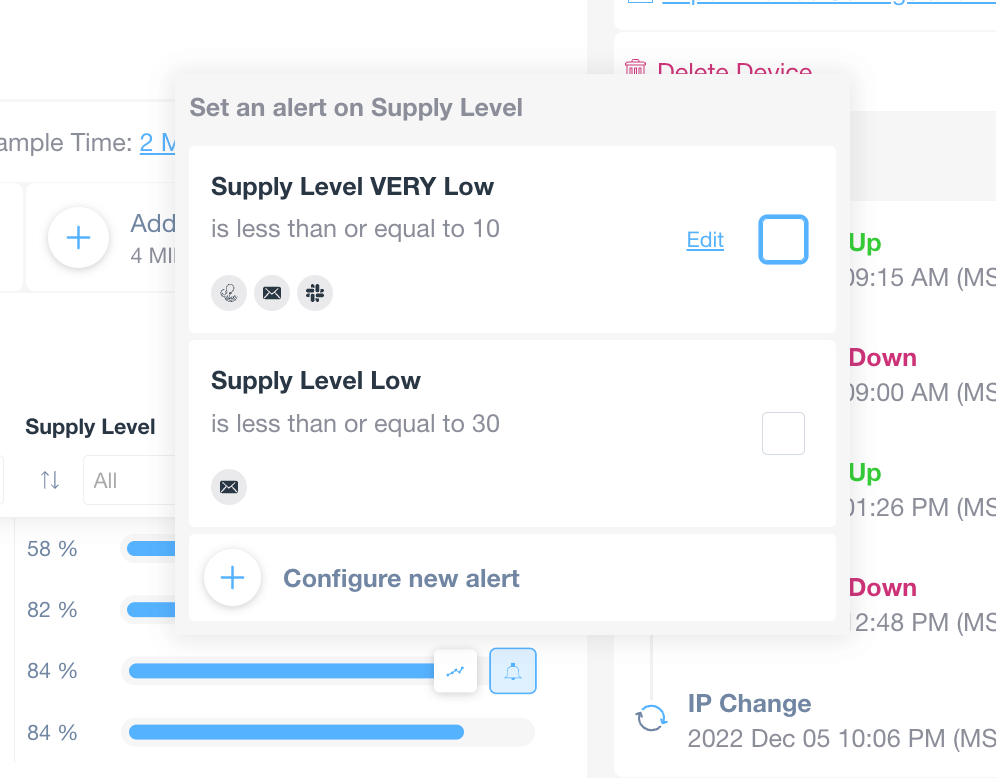
Getting alerts for different metrics on different contact channels is essential. With our recent improvement, you will be more proactive and be able to prevent issues before they get worse.
That’s why we made it possible to receive an alert on a specific Contact Channel if a particular metric breaches a specific threshold.
Moreover, you can also receive different alerts on a different Contact Channel if the metric breaches a different threshold. Our new alerting mechanism offers greater flexibility in creating alerts for the metrics you care about.
Release date: January 2023
Summary of our Network Monitoring Alerts improvements
2023 has already seen significant improvements to our network monitoring alerts. We’ve so far improved our alerting mechanism and added signals for OS sensors, SNMP sensors, and custom integrations. Additionally, we’ve improved alerting on variables to make the process more seamless.
We’re not stopping there, though, and the months ahead will see even further improvements to our network monitoring alerts. So, watch this space!
Further reading: