




Recently, I started receiving alerts from Domotz that several devices were coming offline and online every few minutes. After some quick investigating, I realized that all the alerts were associated with devices that were connected to my Wi-Fi network and are located in my living room.
Ah ok… makes sense. I’ve always thought those are devices were a little too far away from my Access Point!
Domotz Round Trip Delay to the rescue
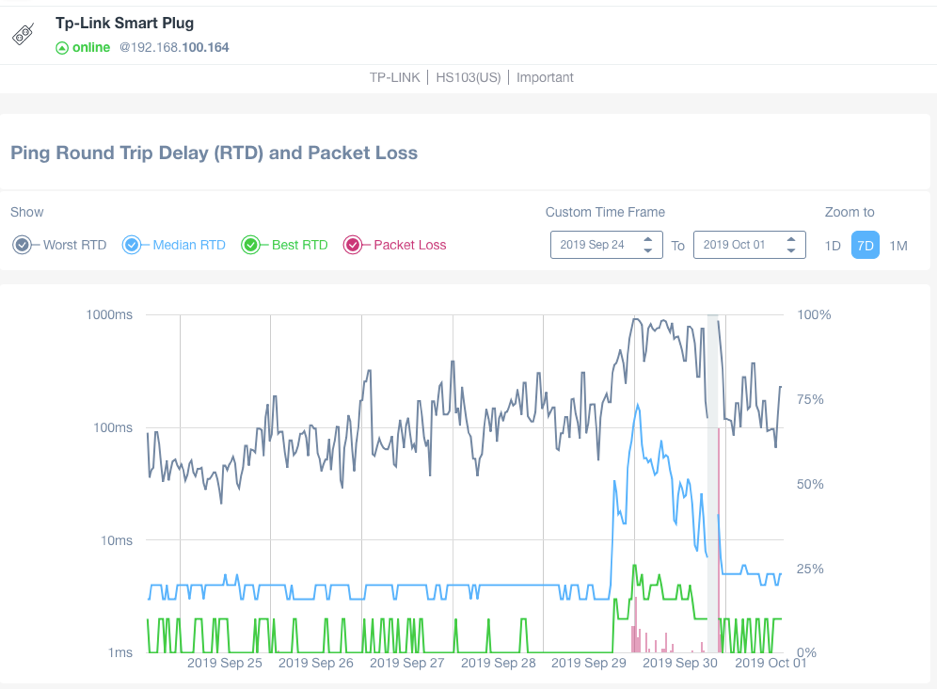
I opened the Domotz app, navigated to a smart plug that’s in my living room and noticed the RTD (Round Trip Delay) charts.
All devices had a higher latency starting on Sunday, even showing packet loss, which was not normal for some of the devices.
How I fixed my offline devices using RTD to analyze the Wi-Fi Network
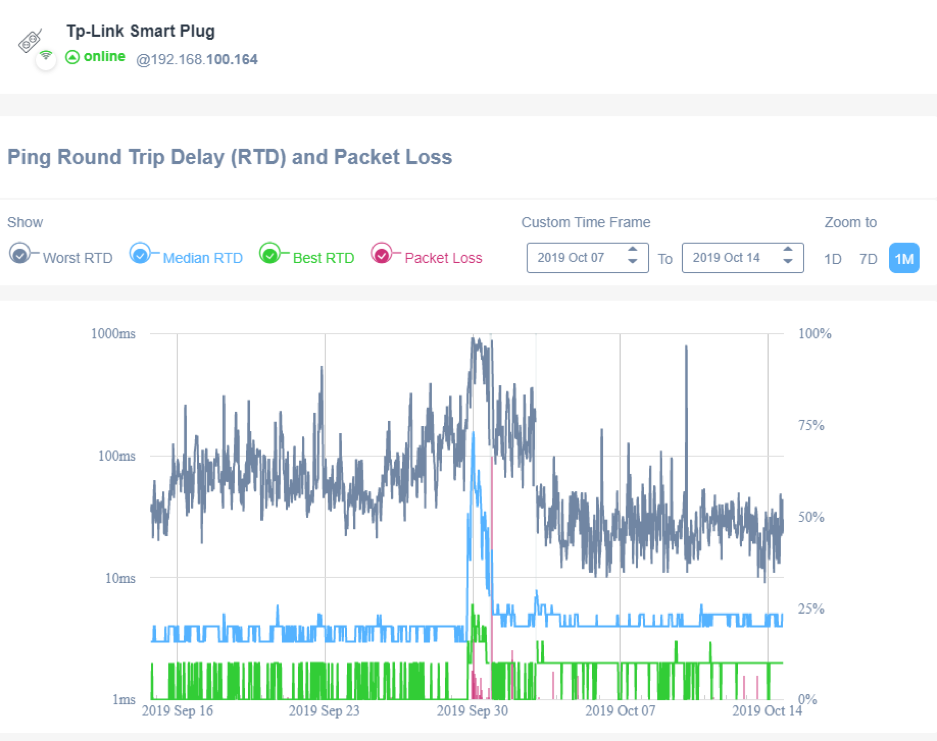
The next day I changed my Wi-Fi channel and noticed a significant improvement.
On Monday night I checked the network to make sure that I had chosen the Wi-Fi channels correctly. I scanned my network using the Wi-Fi Analyzer and found that a neighbour of mine had overlapped the channels I was using before! Without Domotz I would never have figured that out. This is a huge benefit of Domotz real-time alerts and having the Domotz platform continually monitor the network.
Even after changing channels I decided to take things one step further, hoping I could improve the network even more. That week I added a new, additional AP in the room. Looking back at my Round Trip Delay chart, everything seems to be working much better now:
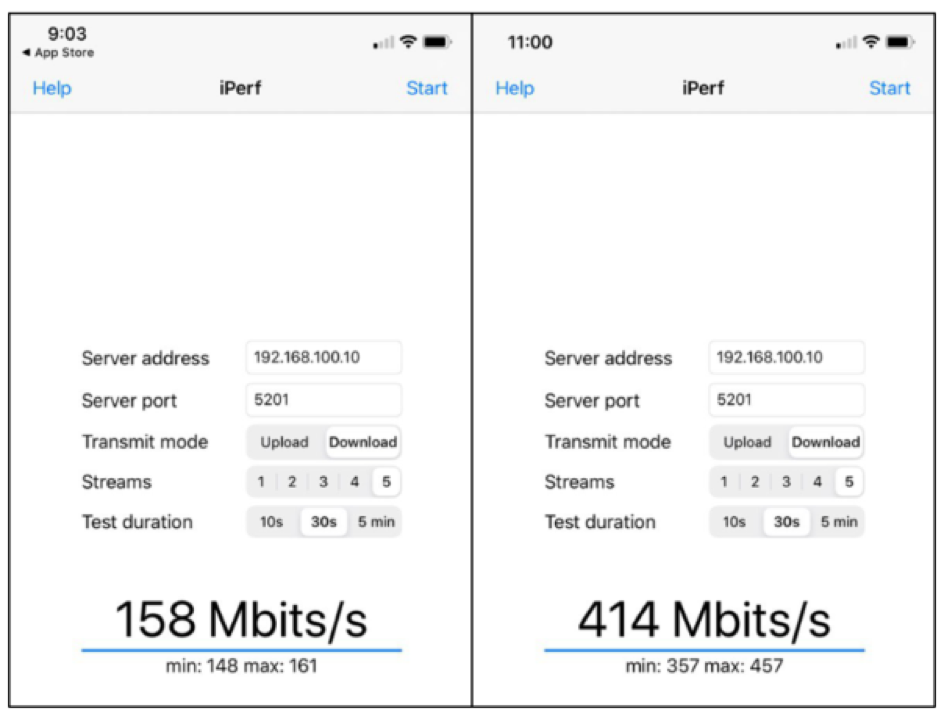
Even the tests with iPerf 3 have improved significantly with the new AP, see here before and after:
Sure, I may be a bit biased as a Domotz employee, this is the amazing value of having Domotz monitor my network and using the Round Trip Delay feature. Without Domotz I would not have seen this issue, and struggled to find a fix!